Follow each run live on the canvas, then find its report and history. Every run records when it started, what triggered it, what each block produced and where its report is.
Follow a run#
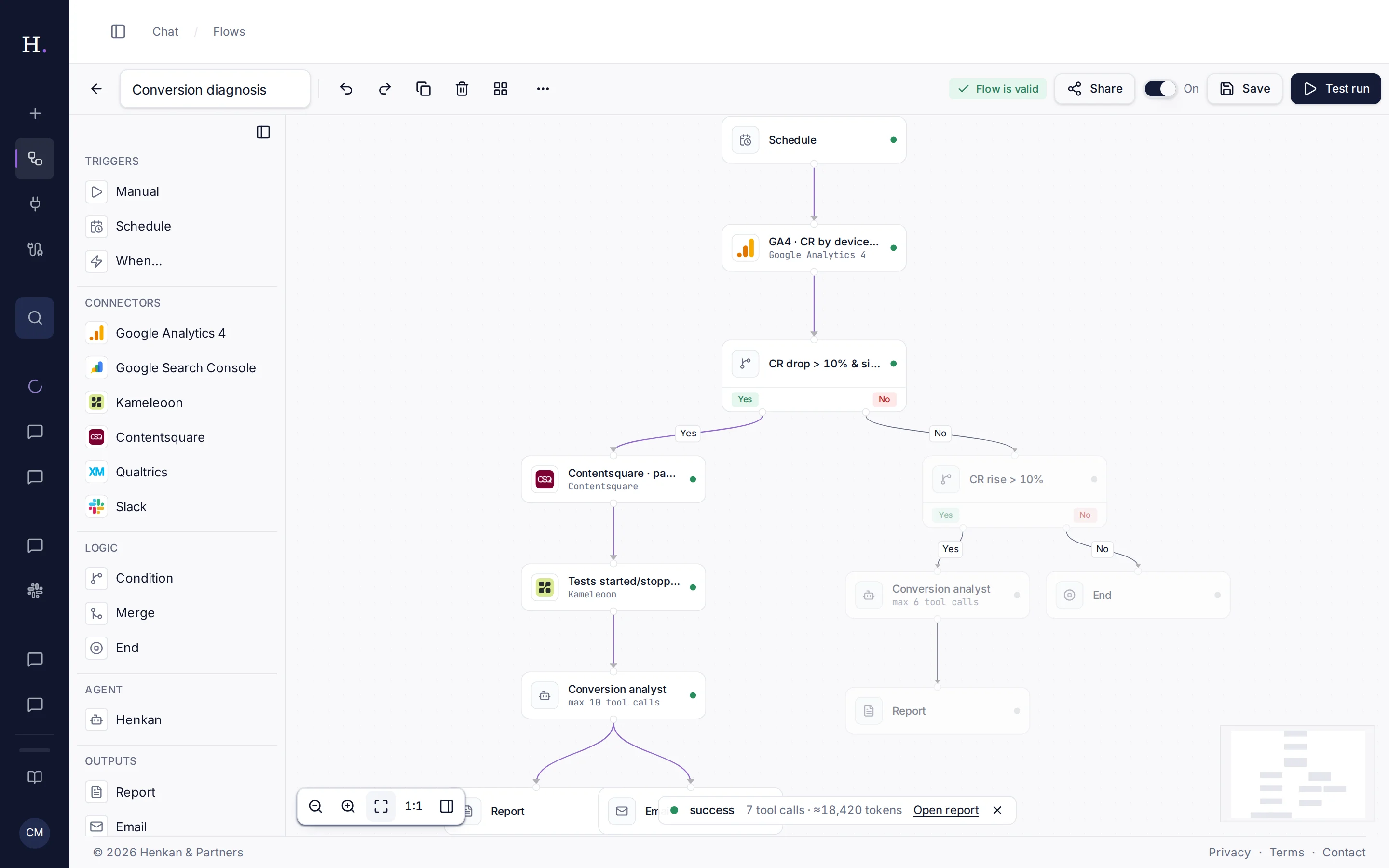
1
Block status. Each block shows how it went; skipped branches are dimmed.
2
Run summary. Status, tool calls and tokens used.
3
Open report. Opens the conversation the run created.
- Start a run Select Test run in the editor, Run now in the flow's menu, or wait for its trigger.
- Watch the canvas Blocks show their status as they run. Branches not taken (for example the No exit of a condition) are dimmed.
- Inspect a block Select a block to see its Output: a summary, the number of attempts if it was retried, and any error.
- Open the report When the run has a Report block, select Open report in the run summary.
| Block status | Meaning |
|---|---|
| Green | Finished. |
| Pulsing | Running or queued. |
| Amber | Finished with a warning, for example partial results. |
| Red | Failed. Select the block to read the error. |
| Grey | Skipped, or not reached. |
Run history#
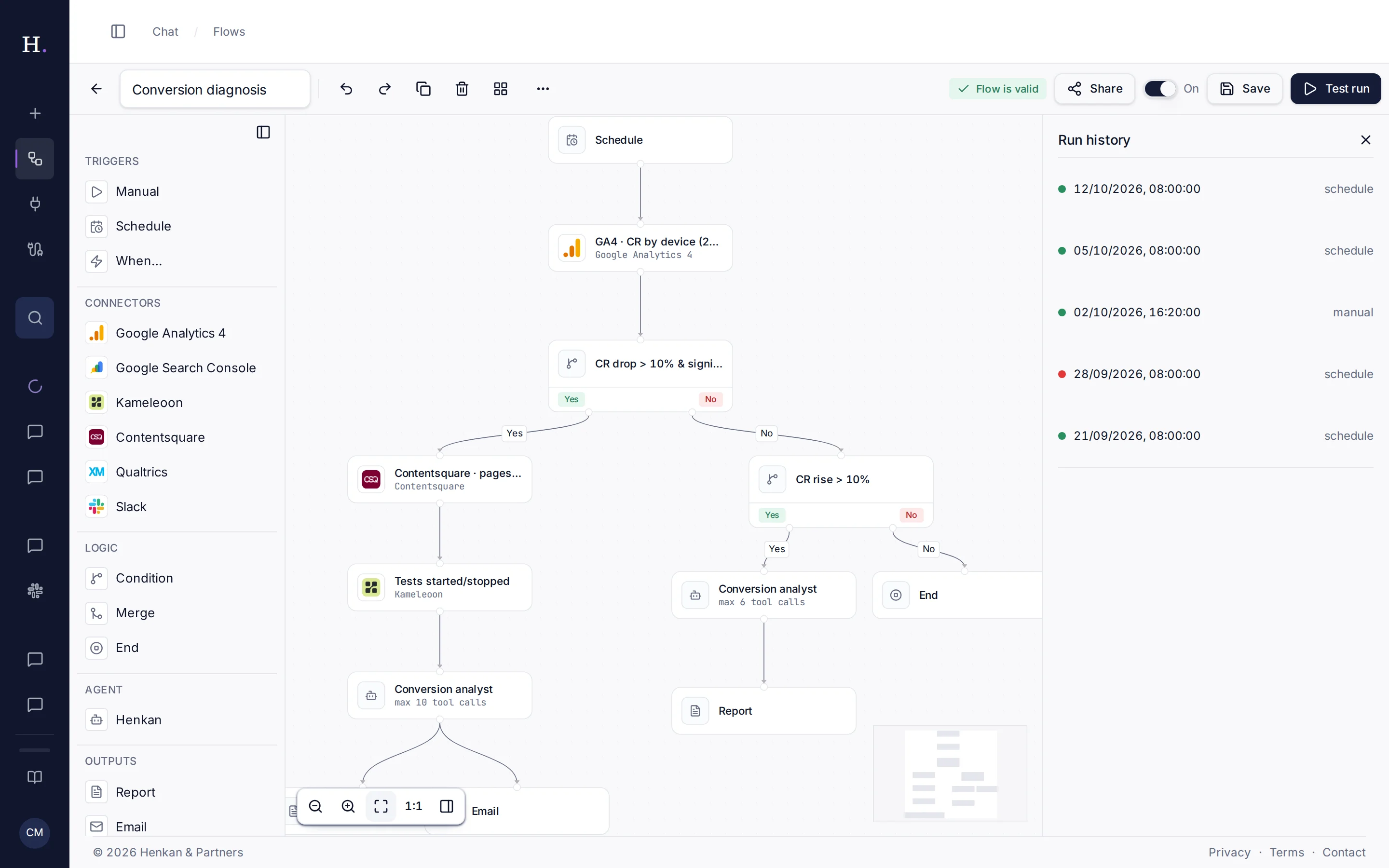
1
Run history. Lists the last 25 runs.
2
A run. Its date, status and what triggered it.
Open ⋯ › Run history in the editor, or Run history from the flow's menu on the Flows page. Select a run to see it on the canvas.
| Trigger | Started by |
|---|---|
| schedule | The flow's schedule. |
| event | A When… trigger. |
| manual | Test run or Run now. |
| chat | /flow in the chat, or run flow in Slack. |
| mcp | Claude, ChatGPT or Cursor. |
On a shared flow, the history shows everyone's runs, with the name of the colleague who started each one. Only that person can open its report.
Where results go#
| Output block | Where to find the result |
|---|---|
| Report | A new conversation in the sidebar, named after the report title. Each block's raw output sits underneath in a collapsed Run details section. |
| The inbox of the person the run belongs to: whoever started it, or the flow's owner for scheduled and event runs. | |
| PDF + email | The same inbox, with a PDF link valid for 7 days. |
| Slack | The channel you chose, with a link back to the report. |
| Notion | The page or database you chose. |
When a run fails#
- A connection expired. The block error says so, for example token expired. Sign in again on the Tools page, then Run now.
- A tool was slow or rate-limited. Temporary errors are retried twice automatically. If it still fails, try again later.
- The run took too long. A run stops after 10 minutes and an agent block after 4 minutes. Reduce the date range or the agent's Max tool calls.
- Too many runs at once. You can have 2 runs at the same time. Wait for one to finish.