Henkan Vision is Henkan's session replay. Connected to Chat, it lets Henkan find sessions, read their timelines and summarise frustration, with replay links you can open.
Before you start#
| Field | Where to find it |
|---|---|
| API key | In Henkan Vision: the API page › create a key. It starts with hv_live_. |
Connect#
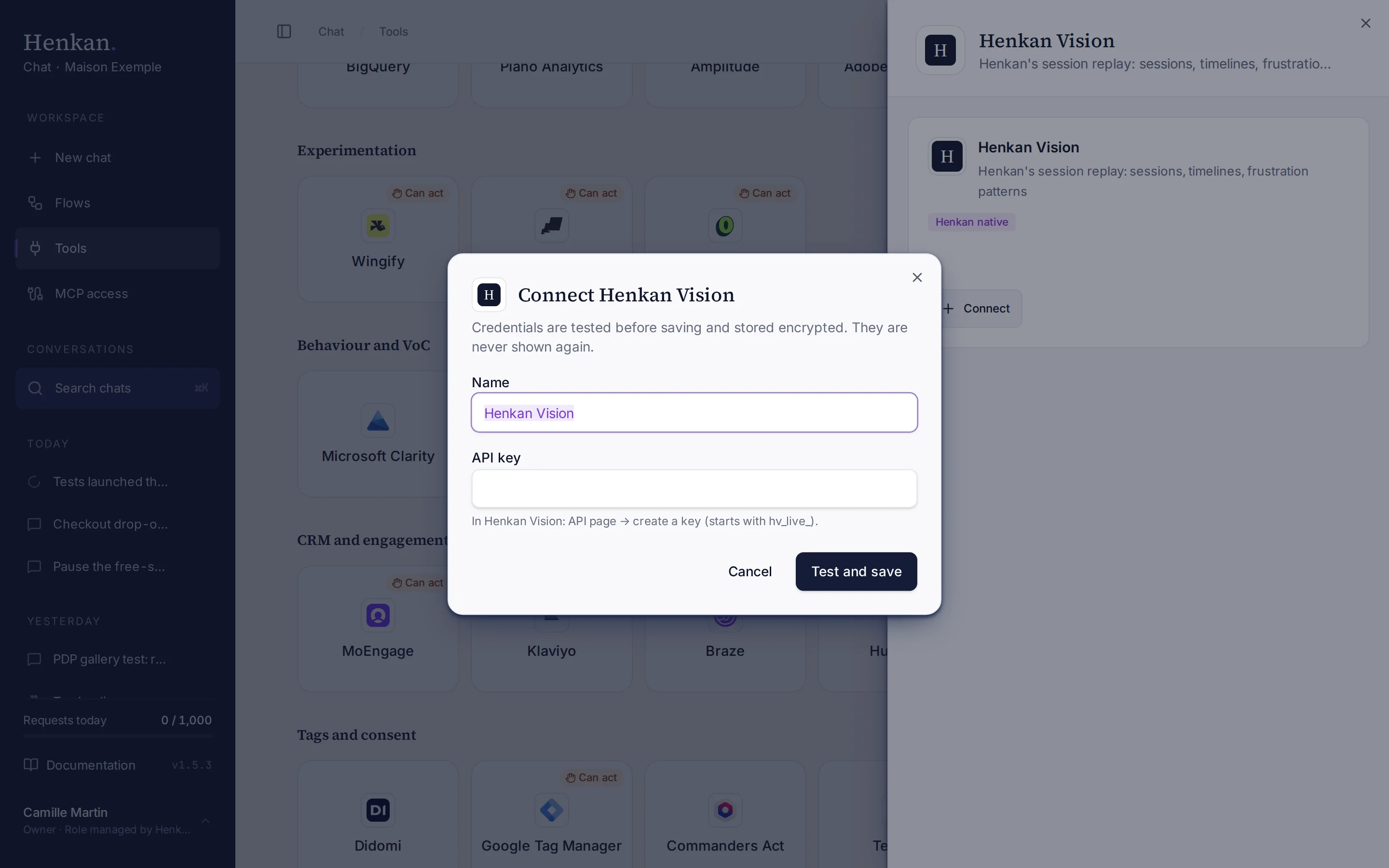
1
Name. Helps you recognise this connection.
2
Help text. Where to create the key in Henkan Vision.
3
Test and save. Checks the key before storing it.
- Open Tools In the sidebar, select Tools, then select Henkan Vision and Connect.
- Paste the key Enter the API key.
- Select Test and save The key is checked, then stored encrypted.
What you can ask#
- "What frustrates visitors most on maison-exemple.com this month?"
- "Show mobile sessions with rage clicks on the checkout yesterday."
- "Walk me through session 8f2c…: where did the visitor get stuck?"
What Chat can and can't do#
| Tool | What it does | Read or write | Asks first? |
|---|---|---|---|
| Find site | Finds Vision sites by name or domain. | Read | No |
| List sessions | Searches sessions by date, page, device, rage or dead clicks, errors or conversion. Returns ids and replay links. | Read | No |
| Get session | One session's timeline: pages, clicks, scroll, pauses and errors with timestamps, frustration tags, the AI summary if any, and the replay link. | Read | No |
| Frustration summary | Qualified sessions, friction and conversion rates, top friction types and the largest recurring patterns over 30 days. | Read | No |
| Page heatmap | Returns the friction patterns recorded on a page, because Vision's API has no heatmap aggregates yet. | Read | No |
When Vision is connected, Henkan prefers it for behaviour questions. It cites session ids, timestamps and replay links.
Limits and good to know#
- No heatmaps yet through the API. Henkan says so.
- No country or test-variant filters yet when searching sessions.
- Visitor content is untrusted. Text recorded from visitors' pages is treated as data; Henkan never follows instructions found in it.
- Costs and who pays. Your Henkan plan covers the AI requests: each question counts towards your organisation's requests (see Usage and limits).
Troubleshooting#
| Error or symptom | Fix |
|---|---|
| Henkan Vision rejected the credentials | Create a new key on Vision's API page. It must start with hv_live_. |
| A site isn't found | Use its name or domain as shown in Vision. |
| No sessions match | Widen the dates or remove a filter. |