Every conversation is saved automatically and listed in the sidebar, with a short title Henkan writes after the first answer. Find, rename or delete them from there.
- Private until shared. Only you see your conversations until you share them.
- One organisation each. A conversation belongs to the organisation you were in when you started it. The sidebar lists only the current organisation's.
- One list for everything. Conversations started from Slack or created by a flow report appear in the same list.
Find a conversation#
The sidebar groups conversations by when they were last updated: Today, Yesterday, Previous 7 days and Older. A Slack icon marks conversations that started in a Slack thread.
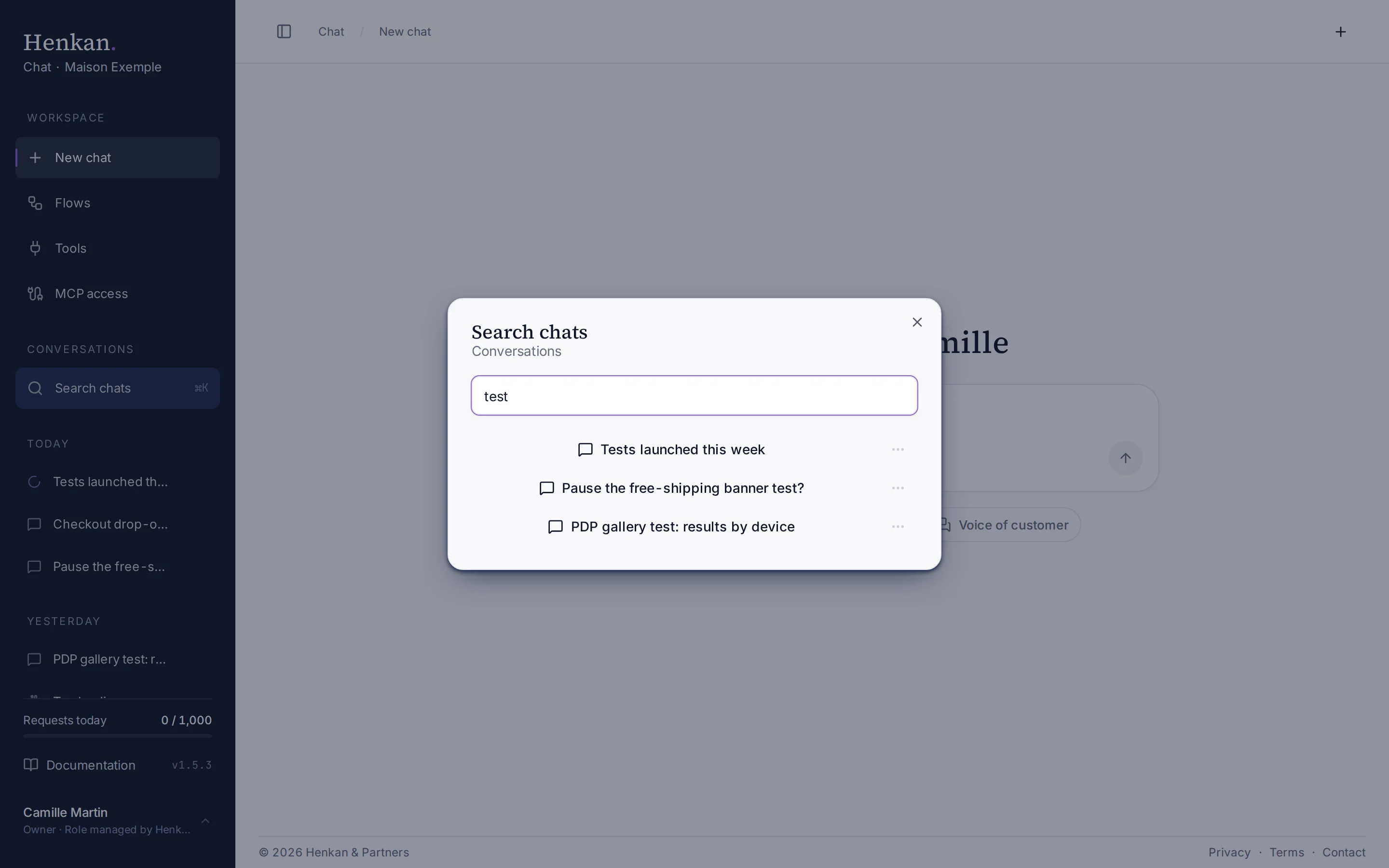
1
Search box. Type part of a title, then select a result to open it.
- Open search Select Search chats in the sidebar, or press ⌘K (Ctrl+K on Windows).
- Type part of the title The list filters as you type.
- Open a result Select a conversation to open it.
Search matches conversation titles, not the text of messages.
Conversations shared with you#
Conversations colleagues shared with you are listed under Shared with me at the bottom of the sidebar, whatever organisation you are in.
- Your access. A note above the message box says who shared it and whether you can read it (Can view) or also send messages (Can participate).
- Who asked what. Each question shows who asked it.
- No renaming or deleting. Only the person who shared it can do that.
To share one of your own conversations, open it and select Share at the top of the page. See Share with colleagues.
Rename or delete a conversation#
- Open the menu Hover a conversation in the sidebar (or in search results) and select ⋯.
- Rename Select Rename, type the new title and press Enter.
- Delete Select Delete. The conversation and its messages are removed immediately. This cannot be undone.
Keyboard shortcuts#
| Shortcut | Action |
|---|---|
| ⌘K / Ctrl+K | Search conversations |
| ⌘B / Ctrl+B | Show or hide the sidebar |
| Enter | Send the message |
| Shift+Enter | New line in the message box |
Conversations from other places#
| Source | How it appears |
|---|---|
| Slack thread | One conversation per thread, with the Slack icon. You can continue it in the app. See Henkan in Slack. |
| Flow report | A Report block saves its result as a new conversation named after the report title. See Runs and history. |