Henkan reads your Didomi consent notices and their live settings, and audits them against CNIL and Google requirements. It only reads: nothing changes in Didomi.
Before you start#
| Field | Where to find it |
|---|---|
| API key and API secret | Didomi Console › your organization › Settings › Private API keys › create a key. Didomi generates the key and its secret together. |
| Organization ID (optional) | Leave empty to use the first organization of these keys. |
Connect#
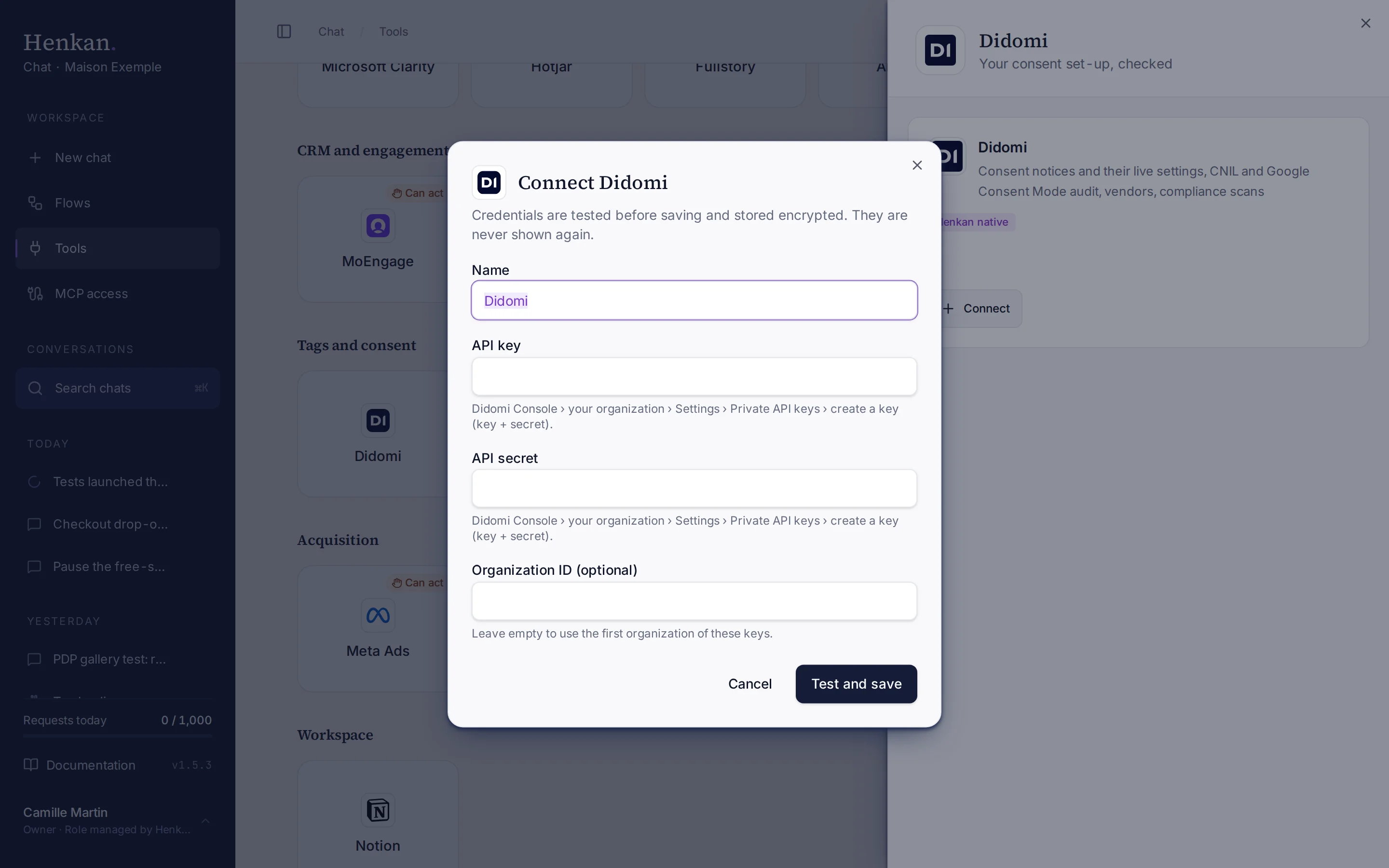
1
Name. Helps you recognise this connection.
2
Help text. Where to create the private API key in Didomi.
3
Test and save. Checks the key before storing it.
- Open Tools In the sidebar, select Tools, then select Didomi and Connect.
- Enter the key Paste the API key and API secret, and the Organization ID if needed.
- Select Test and save The key is checked, then stored encrypted.
What you can ask#
- "Audit our consent notices: is refusing as easy as accepting? Are durations within CNIL guidance?"
- "Is Google Consent Mode v2 enabled with denied defaults on the FR notice?"
- "Which vendors use legitimate interest?"
- "What did the last compliance scan find on maison-exemple.com?"
What Chat can and can't do#
| Tool | What it does | Read or write | Asks first? |
|---|---|---|---|
| Find | Finds consent notices by name across your Didomi connections. | Read | No |
| List organizations | Organizations these keys can read, with premium features. | Read | No |
| List notices, get notice | Live settings: platform, domains, refuse button, consent durations, Google Consent Mode, GPP, per-regulation settings, deployments. | Read | No |
| Audit notices | Checks every live notice: refuse as easy as accept, consent duration (CNIL: 6 months recommended, 13 maximum), Google Consent Mode v2 with denied defaults, disabled or never-deployed notices. | Read | No |
| List vendors | Vendors with IAB TCF v2 id, purposes and hosts. | Read | No |
| Compliance reports | Compliance scans per website: score, trackers and vendors found, errors. Needs the compliance monitoring add-on. | Read | No |
| Dashboard links | Links to your Didomi analytics dashboards. | Read | No |
Limits and good to know#
- Compliance scans need Didomi's compliance monitoring add-on.
- Costs and who pays. Your Henkan plan covers the AI requests: each question counts towards your organisation's requests (see Usage and limits). Any API costs on Didomi's side fall under your contract with Didomi.
Troubleshooting#
| Error or symptom | Fix |
|---|---|
| Didomi rejected the credentials | Create a new private API key in the Console and connect again. |
| The wrong organization is used | Enter the Organization ID when you connect. |
| Compliance reports are empty | The compliance monitoring add-on isn't enabled on your account. |
Sources#
- Authentication (Didomi Developers)
- How to Access Reports Data via API (Didomi Help)