Henkan reads Clarity's behaviour signals for one project: rage and dead clicks, quick backs, scroll depth and engagement. It only reads, and only covers the last 1 to 3 days.
Before you start#
| Field | Where to find it |
|---|---|
| API token | In Clarity: Settings › Data Export › Generate new API token, then copy it. Only project admins can create tokens. One token per project. |
| Project label | A name to recognise this Clarity project, for example the site name. |
To read several Clarity projects, connect each one with its own token.
Connect#
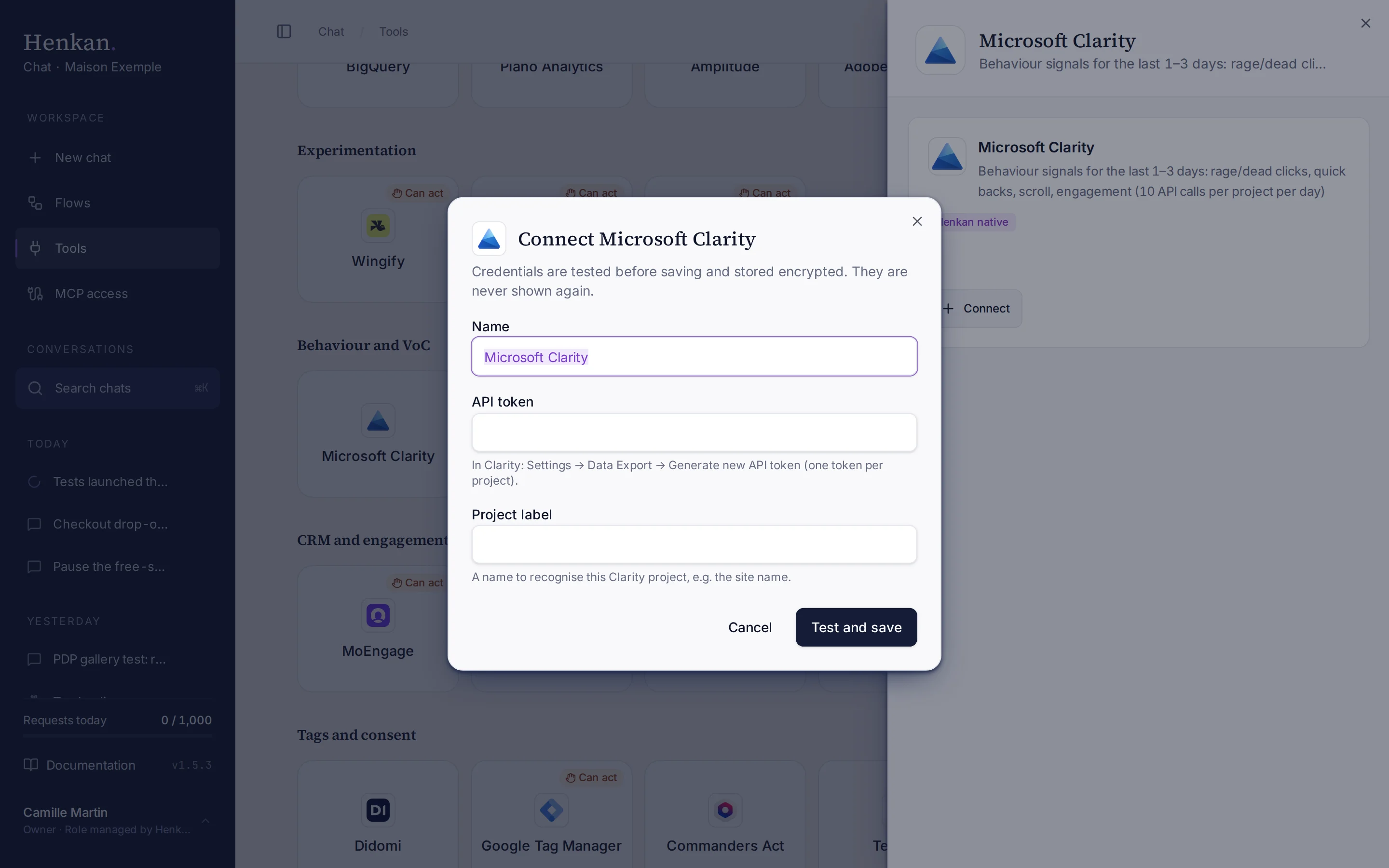
1
Name. Helps you recognise this connection.
2
Help text. Where to generate the token in Clarity.
3
Test and save. Checks the token before storing it.
- Open Tools In the sidebar, select Tools, then select Microsoft Clarity and Connect.
- Paste the token Enter the API token and a Project label.
- Select Test and save The token is checked, then stored encrypted.
What you can ask#
- "Which pages had the most rage clicks yesterday, on mobile?"
- "Dead clicks and quick backs by device over the last 3 days."
- "Is frustration higher in the last 24 hours than over the last 3 days?"
What Chat can and can't do#
| Tool | What it does | Read or write | Asks first? |
|---|---|---|---|
| Insights | Sessions, pages per session, scroll depth, engagement time, dead and rage clicks, quick backs, excessive scrolling, script errors and error clicks, by up to 3 dimensions (browser, device, country, OS, source, medium, campaign, channel, URL). | Read | No |
| Frustration report | Ranks URLs and devices by rage, dead and error clicks and quick backs, with the share of sessions affected. | Read | No |
| Compare | Last 24 hours vs the last 3 days. Labelled as a short window, not a period-over-period test. Uses up to 2 API calls. | Read | No |
Clarity's API has no recordings or heatmaps. Henkan links to the Clarity dashboard instead.
Limits and good to know#
Costs and who pays. Your Henkan plan covers the AI requests: each question counts towards your organisation's requests (see Usage and limits). Clarity's API allowance is the 10 calls per project per day above.
Troubleshooting#
| Error or symptom | Fix |
|---|---|
| Microsoft Clarity rejected the credentials | Generate a new token under Settings › Data Export and connect again. |
| Microsoft Clarity rate limit reached | The project's 10 calls for today are used. Try again tomorrow, or repeat a request already made today. |
| You need older data | Clarity's API only covers 3 days. Use the Clarity dashboard, or a tool like Contentsquare. |
| You need a recording or heatmap | Open it in the Clarity dashboard. |
Sources#
- Clarity Data Export API (Microsoft Learn)