Henkan lists your Hotjar surveys and analyses their responses: NPS with margin of error, ratings, choices and verbatims. It only reads, and only surveys: Hotjar's API has no heatmaps or recordings.
Before you start#
| Field | Where to find it |
|---|---|
| Client ID and Client secret | Hotjar › Settings › API: select the organization, name the credentials, choose a scope, then Generate credentials. Only organization admins can create them. Survey responses need the Ask Scale plan. Keys expire after one year and can't be extended, so create new ones before then. |
| Site IDs | Hotjar › Sites & Organizations. Separate several with commas. |
Hotjar's API can't list sites, so Henkan only sees the site IDs you enter.
Connect#
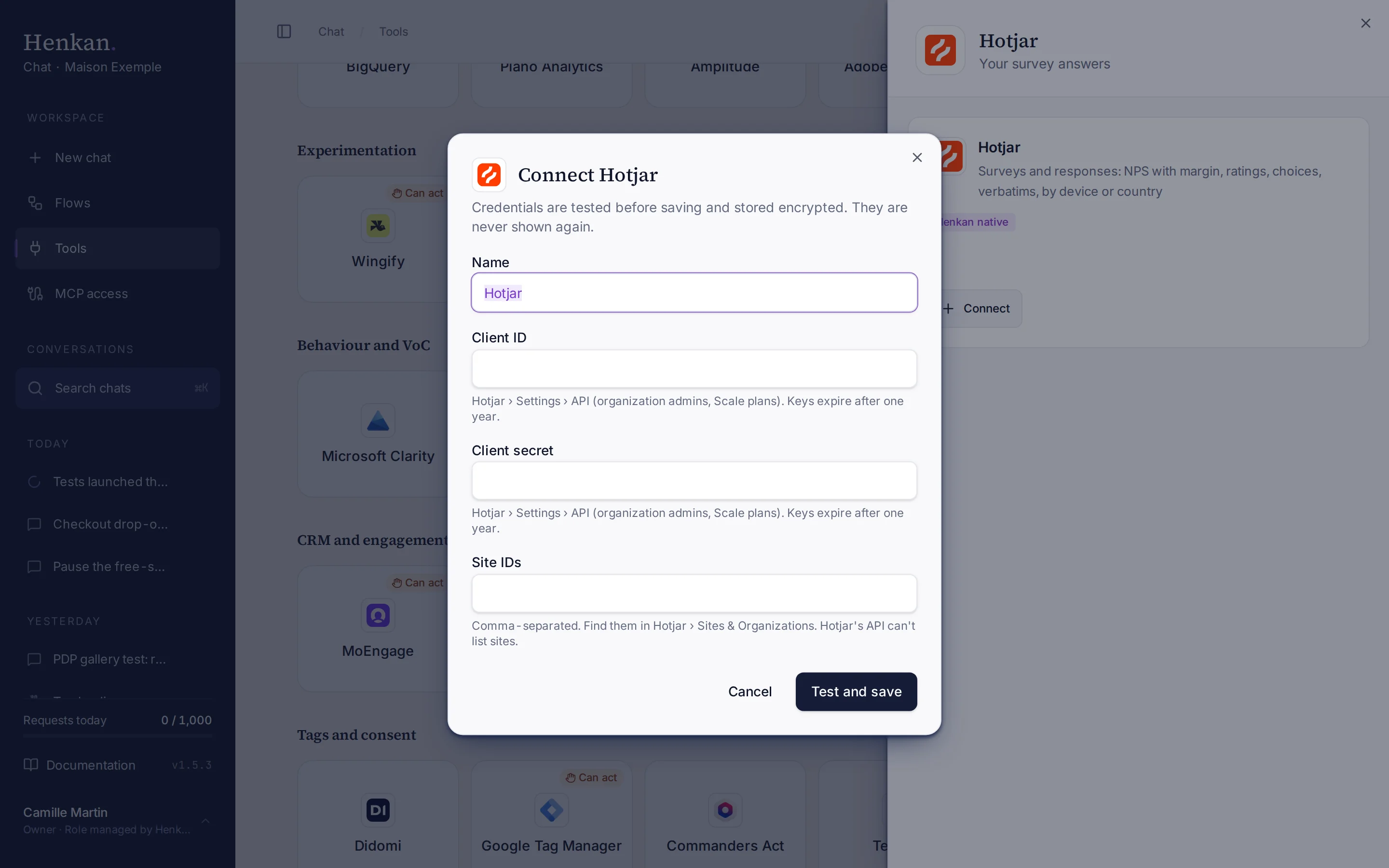
1
Name. Helps you recognise this connection.
2
Help text. Where to create the API credentials in Hotjar.
3
Test and save. Checks the credentials before storing them.
- Open Tools In the sidebar, select Tools, then select Hotjar and Connect.
- Enter the credentials Paste the Client ID and Client secret.
- Enter the site IDs For example
1234567, 7654321. - Select Test and save The credentials are checked, then stored encrypted.
What you can ask#
- "What's the NPS of the post-purchase survey, with its margin of error?"
- "Split the checkout survey by device."
- "Show the latest open-text answers about delivery."
What Chat can and can't do#
| Tool | What it does | Read or write | Asks first? |
|---|---|---|---|
| Find | Finds surveys by name across your Hotjar connections. | Read | No |
| List surveys | Surveys of a site, with type, status and questions. | Read | No |
| Survey summary | NPS with promoters, passives, detractors and 95% margin, rating averages, choice counts, completion rate, split by device or country, and up to 30 recent open-text answers. | Read | No |
| Survey responses | Raw responses, newest first: answers, tags, sentiment, device, country, page URL and recording link. | Read | No |
Limits and good to know#
Hotjar accounts are moving to Contentsquare. For Contentsquare data, use the Contentsquare connector.
Costs and who pays. Your Henkan plan covers the AI requests: each question counts towards your organisation's requests (see Usage and limits). The Hotjar API needs a Scale plan, under your contract with Hotjar.
Troubleshooting#
| Error or symptom | Fix |
|---|---|
| Hotjar rejected the credentials | Keys expire after one year. Create new ones under Settings › API. |
| Site … is not on this connection | Add the site ID: disconnect and connect again with the full list. |
| Hotjar access denied | Check that your plan includes API access (Scale) and that an organization admin created the keys. |
| Old responses are missing | Henkan reads the 2,000 most recent responses. Export older ones from Hotjar. |
Sources#
- How to Set Up the Hotjar API (Hotjar Help)