Henkan lists your AB Tasty campaigns, reads their variations and set-up, and computes results itself. It can play or pause a campaign, and always asks you first.
Before you start#
| Field | Where to find it |
|---|---|
| Client ID and Client secret | AB Tasty › Settings › Public API: enter a description, select at least one role, then Generate. Only account administrators can do this. Copy both values right away: they are lost when you leave the page. |
| Account / workspace ID (optional) | The numeric account ID. Leave it empty to use the first account these credentials can access. |
For results, AB Tasty's Data Explorer must be enabled on your account (see Limits).
Connect#
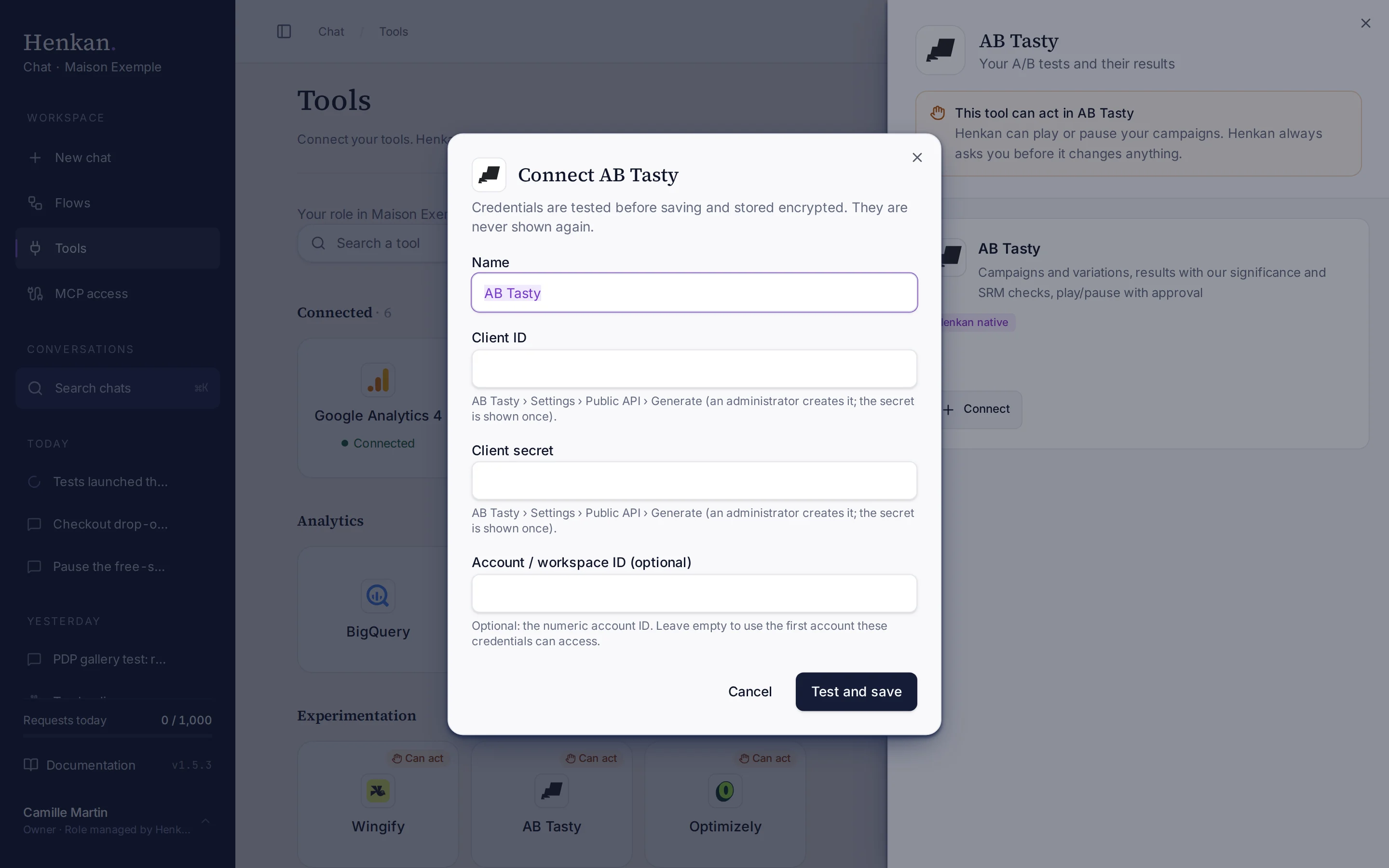
1
Name. Helps you recognise this connection.
2
Help text. Where to generate the credentials in AB Tasty.
3
Test and save. Checks the credentials before storing them.
- Open Tools In the sidebar, select Tools, then select AB Tasty and Connect.
- Paste the credentials Enter the Client ID and Client secret, and the account ID if needed.
- Select Test and save The credentials are checked, then stored encrypted.
What you can ask#
- "Which AB Tasty campaigns are live right now?"
- "Results of the mini-cart test on transactions: uplift, confidence interval, SRM."
- "Results of the same test on the add_to_wishlist event."
- "Pause the mini-cart test."
What Chat can and can't do#
| Tool | What it does | Read or write | Asks first? |
|---|---|---|---|
| Find | Finds campaigns by name across your AB Tasty connections. | Read | No |
| List accounts | Accounts these credentials can access. | Read | No |
| List tests | Campaigns with status, type, dates, traffic and visitors. | Read | No |
| Get test | Variations, traffic allocation, reference, targeting URL and report link. | Read | No |
| Test results | Per variation: users, conversions (transactions, or an event action you name), conversion rate, uplift, two-proportion z-test with 95% confidence interval, SRM check, revenue per user and a verdict. | Read | No |
| Set test status | Plays or pauses a campaign. Changes the live site. | Write | Yes, always |
Limits and good to know#
Costs and who pays. Your Henkan plan covers the AI requests: each question counts towards your organisation's requests (see Usage and limits). Data Explorer queries count against your AB Tasty data quota. Any API costs on AB Tasty's side fall under your contract with AB Tasty.
Troubleshooting#
| Error or symptom | Fix |
|---|---|
| AB Tasty rejected the credentials | Generate new credentials under Settings › Public API, and copy the secret before leaving the page. |
| Results aren't available | Data Explorer isn't enabled, or its monthly quota is used up. Read the AB Tasty report instead. |
| The test has no start date yet | The campaign hasn't started. Give a start date, or wait until it runs. |
| The wrong account is used | Enter the account ID when you connect, or connect the other account separately. |
Sources#
- AB Tasty public API (AB Tasty)
- Data Explorer: Introduction (AB Tasty)