Henkan posts reports and CSV tables to your Slack channels and reads a channel when you ask. Posting and uploading always ask for your approval first.
Before you start#
- A Slack account in the workspace, allowed to add apps. By default Slack members can install apps. If your Workspace Owner only allows pre-approved apps, request Henkan from Slack (when requests are enabled) or ask an owner or app manager to approve it.
- Slack is a personal connection. It acts as you, so only you can see and use it, even inside your organisation.
- To read or post in a private channel, invite the Henkan bot: type
/invite @Henkanin that channel.
Connect#
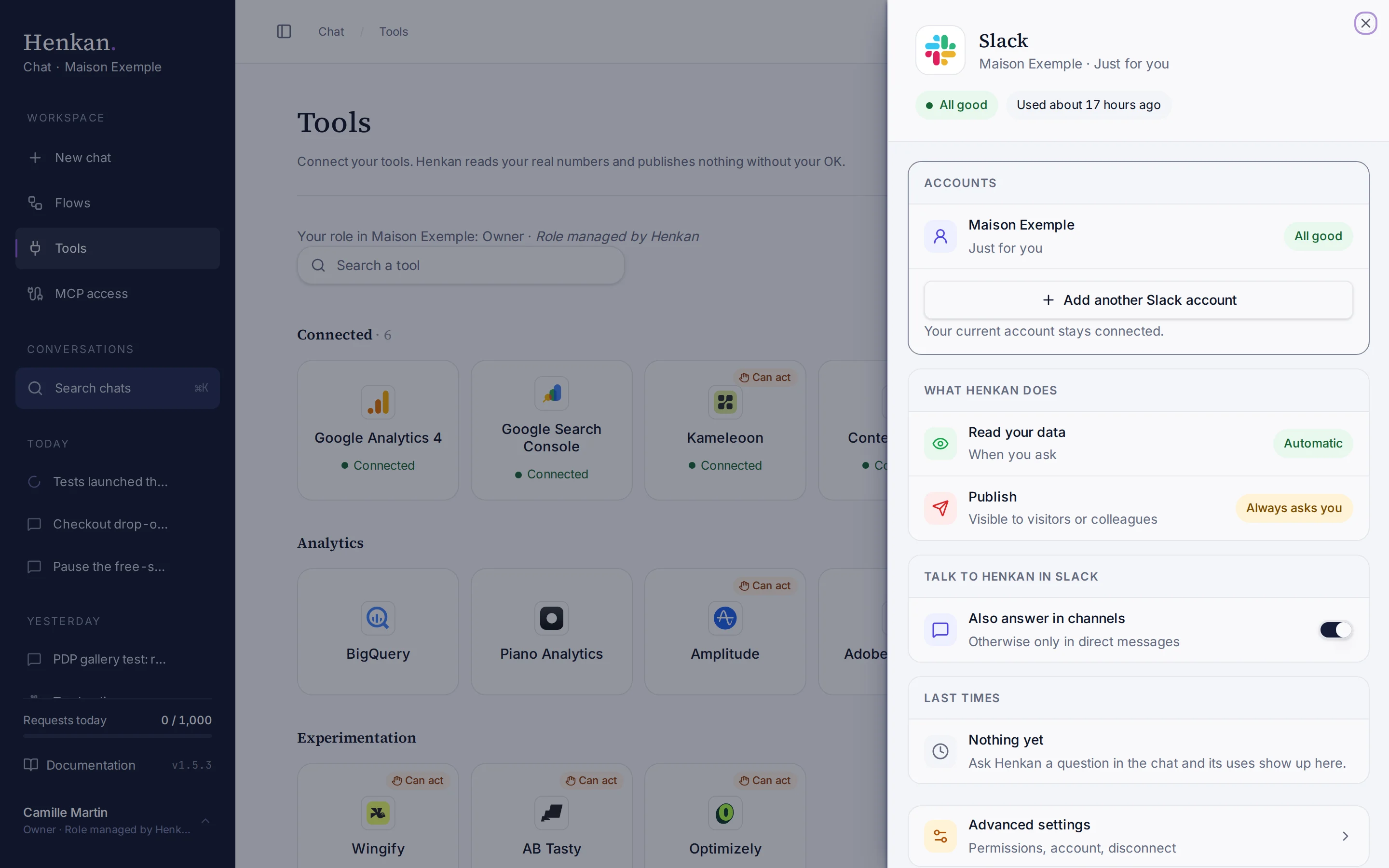
1
Status. Whether the connection works, and when Henkan last used it.
2
What Henkan does. Reads when you ask, and posts only after your OK.
3
Advanced settings. Permissions, renaming and disconnecting.
- Open Tools In the sidebar, select Tools, then select Slack and Connect.
- Approve the Henkan app Slack opens. Choose your workspace and allow access.
- Check the result The tile shows Connected, marked Just for you.
The same connection lets you talk to Henkan from Slack.
What you can ask#
- "Post this week's GA4 summary to #growth."
- "Upload the table of top landing pages to #seo as a CSV."
- "What did the team say in #ab-tests this morning?"
What Chat can and can't do#
| Tool | What it does | Read or write | Asks first? |
|---|---|---|---|
| List channels | Finds channels by name, and whether the Henkan bot is a member. | Read | No |
| Read channel | Recent messages of a channel, only when you ask. The bot must be a member. | Read | No |
| Post message | Posts a Markdown message (headings, lists, links, tables), with an optional button back to the Henkan report. | Write | Yes, always |
| Upload file | Uploads a result table as a CSV file. | Write | Yes, always |
Limits and good to know#
- CSV files can be up to 5 MB.
- Archived channels can't receive messages.
- Long messages. Slack recommends messages under 4,000 characters and truncates them beyond 40,000. Henkan can post the report link instead.
- Costs and who pays. Your Henkan plan covers the AI requests: each question counts towards your organisation's requests (see Usage and limits). Questions asked from Slack count too.
Troubleshooting#
| Error or symptom | Fix |
|---|---|
| not_in_channel | Type /invite @Henkan in the channel, then try again. |
| channel_not_found | Check the name. Private channels must invite the Henkan bot first. |
| missing_scope | Reconnect the Slack workspace from Tools. |
| invalid_auth, token_revoked or account_inactive | The app was removed or the token expired. Reconnect the workspace from Tools. |
| msg_too_long | Ask for a shorter message, or post the report link. |
Sources#
- Manage app approval for your workspace (Slack Help)
- chat.postMessage method (Slack Developer Docs)