Henkan reads Contentsquare site, page and zone metrics, Web Vitals and journeys. It only reads: nothing changes in Contentsquare.
Before you start#
Contentsquare offers two connection methods. You can use both at once; when both can answer, Henkan prefers the Metrics API.
| Method | You need | Best for |
|---|---|---|
| Official connection (MCP) (recommended) | A Contentsquare account. A Contentsquare Customer Admin sets up MCP first (Analysis setup › Model Context Protocol (MCP)) and grants access under Account settings › Connected apps › User access. | Journeys, funnels, frustration and rage clicks, errors, page comparison. |
| Metrics API | A Client ID and Client secret from Contentsquare › Console › your account or project › API credentials tab › Create credentials. The secret is shown only once. A Project ID only for account-level credentials. | KPIs, zone metrics, Web Vitals, page diagnosis and audits, without using the MCP quota. |
Connect#
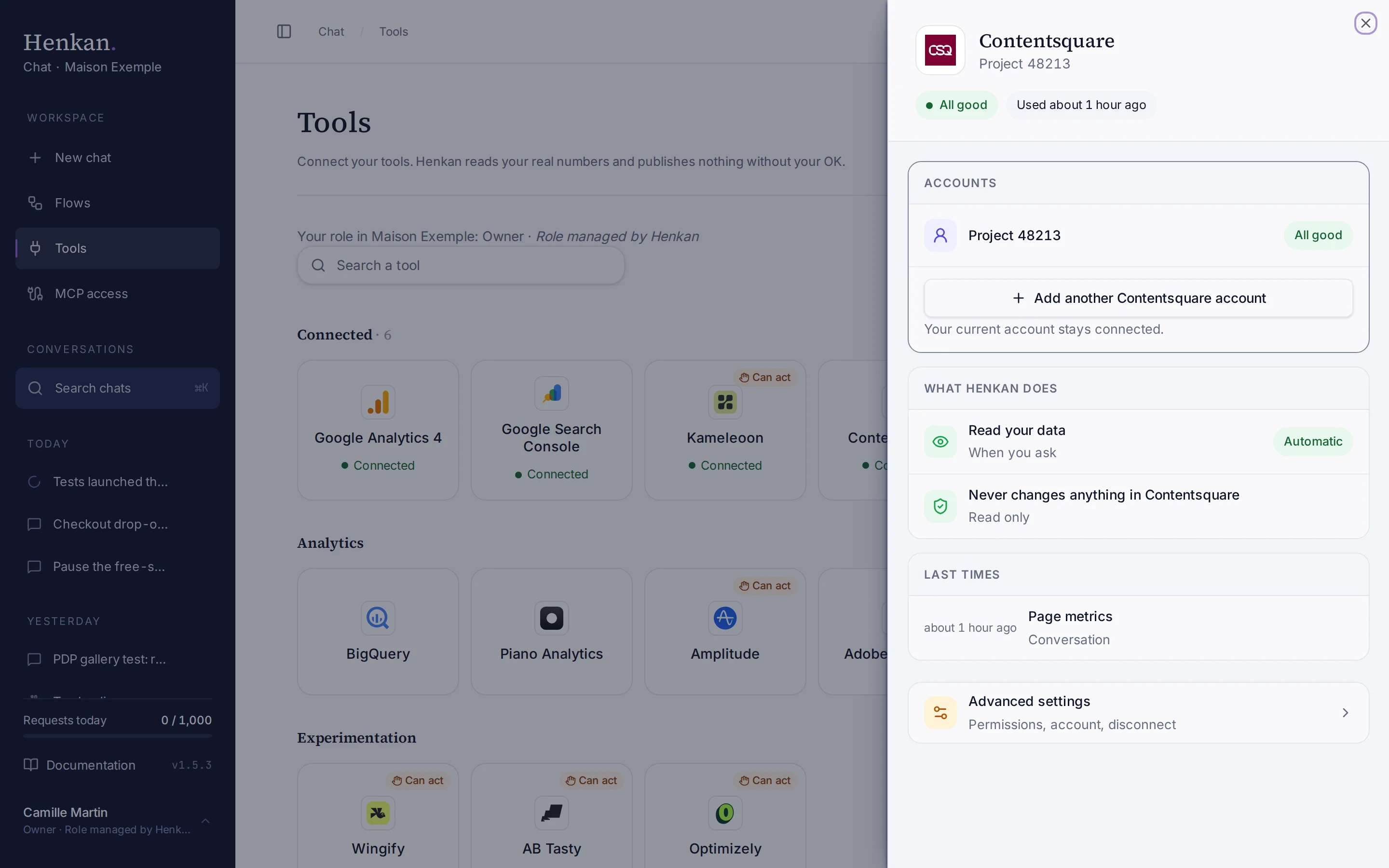
- Open Tools In the sidebar, select Tools, then select Contentsquare and Connect.
- Choose a method Select Official connection (MCP) or Metrics API.
- Sign in or enter credentials For MCP, sign in with your Contentsquare account. For the Metrics API, paste the Client ID and Client secret (and the Project ID if needed), then select Test and save.
- Check the result The tile shows Connected.
To add the other method or another project, select Add another Contentsquare account in the Accounts block at the top of the panel.
What you can ask#
- "Bounce rate, conversion rate and revenue per device for the last 30 days, compared with the previous 30."
- "Which page groups have high exit rates and low scroll? Give me test hypotheses."
- "Zone metrics for the product page: which zones get clicks but don't convert?"
- "Core Web Vitals of the checkout page group."
- "Where do mobile visitors rage-click?" (official connection)
What Chat can and can't do#
With the Metrics API:
| Tool | What it does | Read or write | Asks first? |
|---|---|---|---|
| Find | Finds mappings, page groups, segments and goals by name. | Read | No |
| List projects, devices, segments, goals, page groups, zones | Lists what the project contains. | Read | No |
| Site metrics | Visits, bounce rate, conversion, revenue, cart average, page views per visit, session time, with period comparison. | Read | No |
| Page metrics | Views, exit, bounce, scroll and activity rates, load time, conversion and revenue for a page group. | Read | No |
| Web Vitals | Core Web Vitals of a page group. | Read | No |
| Zone metrics | Click rate, attractiveness, exposure, hesitation and conversion per click, for up to 30 zones. | Read | No |
| Page diagnosis | Compares page groups with the site average and returns test hypotheses, clearly marked as hypotheses. Ranks up to 15 page groups. | Read | No |
| Audit | A scored checklist of the project set-up with one-line fixes. | Read | No |
With the official connection, the tools come from Contentsquare's server and can change when Contentsquare updates it. Open the connection's Advanced settings › Tool by tool to see them.
Limits and good to know#
MCP quota. Analytics calls through the official connection count against a pool shared by your whole Contentsquare account (by plan: 300 a month on Free, 36k, 72k or 108k a year on Growth, Pro and Enterprise). When it is used up, MCP stops until the next month. The Tools page shows the number of MCP calls this month, and Henkan asks you to confirm before a question that would need many calls.
Costs and who pays. Your Henkan plan covers the AI requests: each question counts towards your organisation's requests (see Usage and limits). MCP calls count against your Contentsquare plan quota; the Metrics API doesn't use it. Any API costs on Contentsquare's side fall under your contract with Contentsquare.
Troubleshooting#
| Error or symptom | Fix |
|---|---|
| Contentsquare rejected the credentials | Check the OAuth client in Console › API credentials. For account-level credentials, add the Project ID. |
| MCP sign-in fails | A Contentsquare admin must enable MCP for your organisation. |
| Contentsquare accepts at most 92 days per query | Ask for a shorter period. |
| Too many requests | Contentsquare limits concurrent and monthly requests. Wait, then ask fewer, narrower questions. |
| Zone metrics are empty | The page group has no zoning yet. Create one in Contentsquare. |
Sources#
- How to set up and use Model Context Protocol (MCP) (Contentsquare Help)
- How to create API credentials (Contentsquare Help)
- Metrics API: Limits (Contentsquare)
- Metrics API: Date ranges (Contentsquare)