Henkan reads your Kameleoon experiments, personalizations and feature flags, and computes results with its own statistics next to Kameleoon's. It can pause, resume or stop a test, change its traffic split or create a draft, and always asks you first.
Before you start#
Kameleoon offers two connection methods. You can use both at once; Henkan picks the right one for each question.
| Method | You need | Best for |
|---|---|---|
| Automation API (credentials) (recommended) | A Client ID and Client secret from Kameleoon: account icon › My profile › See my API credentials (Automation API). | Results with Henkan's statistics, SRM, breakdowns, audits, pause or stop with approval. |
| Official connection (MCP) · Coming soon | A Kameleoon account to sign in with. | Variation code and Kameleoon's own tools. Kameleoon's MCP sign-in only accepts desktop apps for now, so this method is shown as Coming soon. |
Henkan sees the sites and experiments these credentials, or this account, can see in Kameleoon.
Connect#
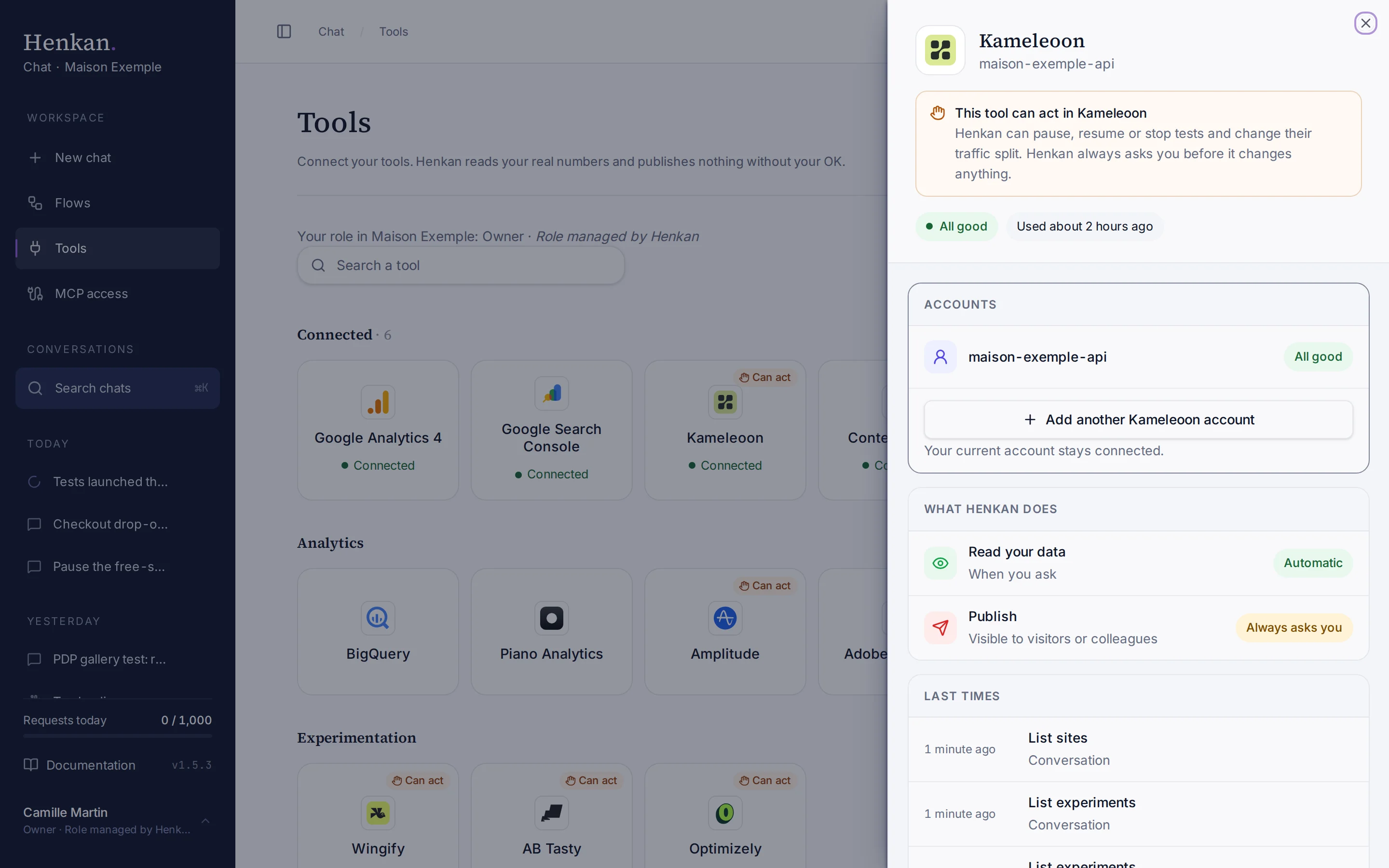
- Open Tools In the sidebar, select Tools, then select Kameleoon and Connect.
- Choose a method Select Automation API (credentials). Official connection (MCP) shows Coming soon until Kameleoon opens its sign-in to web apps.
- Enter credentials or sign in For the Automation API, paste the Client ID and Client secret, then select Test and save.
- Check the result The tile shows Connected.
To add another workspace or the other method, select Add another Kameleoon account in the Accounts block at the top of the panel.
What you can ask#
- "Results of the PDP gallery test: is the variant winning? Check SRM."
- "Break down the free-shipping test by device and new vs returning visitors."
- "How healthy is our test programme this quarter? Win rate, tests running too long, overlaps."
- "How many more days does the checkout test need to reach 80% power?"
- "Pause the free-shipping banner test."
What Chat can and can't do#
| Tool | What it does | Read or write | Asks first? |
|---|---|---|---|
| Find | Finds sites, experiments, personalizations and goals by name across your Kameleoon connections. | Read | No |
| List sites, experiments, personalizations, feature flags, goals, segments, custom data | Lists what the account contains. | Read | No |
| Get experiment | Status, dates, variations, traffic allocation, goals, targeting. | Read | No |
| Get variations | What each variation changes (JS, CSS, redirection), summarised in plain words. | Read | No |
| Experiment, personalization and feature-flag results | Visitors, conversions, conversion rate, uplift, 95% confidence interval, p-value, SRM check and a verdict, next to Kameleoon's own figures. Breakdowns by device, browser, new vs returning, traffic source or segment. | Read | No |
| Test duration | Sample size and days needed (95%, 80% power), and days remaining at current traffic. | Read | No |
| Program overview | Tests launched, running and stopped, win rate, tests running more than 6 weeks or stopped before 7 days, SRM, overlaps. | Read | No |
| Audit | A scored checklist of the site's set-up with one-line fixes. | Read | No |
| Share results link | A link to Kameleoon's own results report. | Read | No |
| Pause, resume, stop experiment | Changes a live test. | Write | Yes, always |
| Set traffic allocation | Changes the traffic split of a live test. | Write | Yes, always |
| Create draft experiment | Creates a draft (name, site, base URL). It is not launched. | Write | Yes, always |
| Request raw export | Asks Kameleoon to email a raw CSV export to the account owner. | Write | Yes, always |
The table covers the Automation API method. With the official MCP method, the tools come from Kameleoon's server; tools it doesn't mark as read-only ask before running.
Limits and good to know#
- Two statistics, labelled separately. Henkan's own two-proportion z-test sits next to Kameleoon's reliability and chance-to-win. Henkan warns about small samples and peeking.
- API budget. Kameleoon allows 1,000 Automation API calls per hour and 50 per 10 seconds per access token. Henkan stops at 900 calls and tells you when to retry.
- Results take time. Kameleoon computes results on request. Large breakdowns can take a minute or time out.
- Costs and who pays. Your Henkan plan covers the AI requests: each question counts towards your organisation's requests (see Usage and limits). API calls use your Kameleoon token's hourly budget. Any API costs on Kameleoon's side fall under your contract with Kameleoon.
Troubleshooting#
| Error or symptom | Fix |
|---|---|
| Kameleoon rejected the credentials | Check the Client ID and secret under account icon › My profile › See my API credentials, then connect again. |
| Kameleoon hourly API budget reached | Try again after the top of the hour, or narrow the question. |
| Kameleoon results are still being computed | Ask again in a minute. |
| Kameleoon timed out computing these results | Shorten the period, drop the breakdown or analyse one goal. |
| Could not find this site's code | Name the site, or ask Henkan to list your Kameleoon sites first. |
Sources#
- Automation API: Get started (Kameleoon)