Google has no official MCP server for Tag Manager, so Henkan connects through Stape's hosted server, signed in with your own Google account. Henkan audits containers and reads tags, triggers and variables; every change asks for your approval first.
Before you start#
- A Google account with access to your containers in Google Tag Manager. Henkan has the same permissions as this account.
- The right container permission. Google Tag Manager has four levels per container: Read (browse tags, triggers and variables), Edit (change a workspace), Approve (also create versions) and Publish (also publish). Audits only need Read; publishing needs Publish. An account Administrator sets them in Admin › User Management.
Connect#
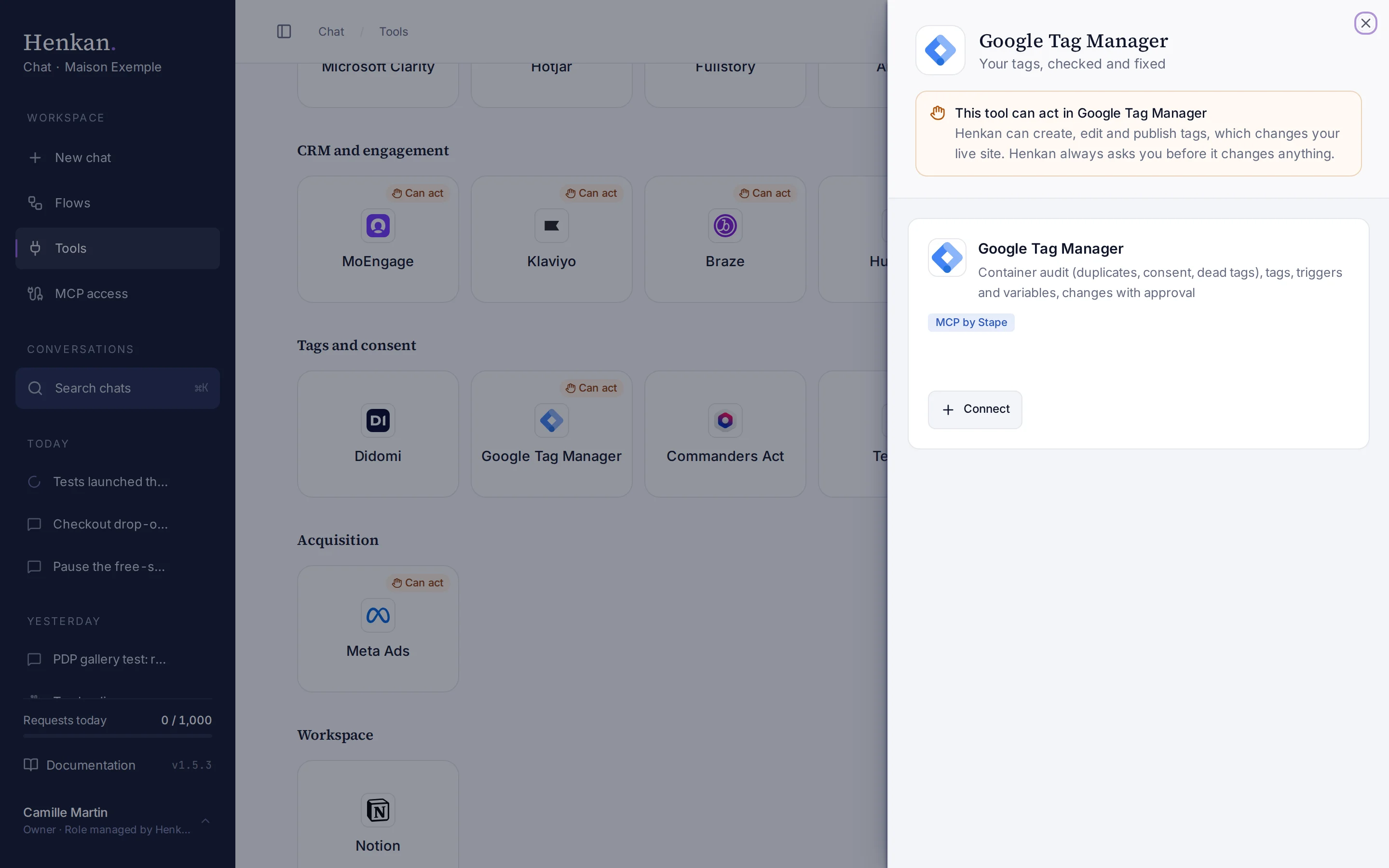
- Open Tools In the sidebar, select Tools, then select Google Tag Manager.
- Select Connect A sign-in window opens.
- Sign in with Google Choose the Google account that has access to your containers and allow access.
- Check the result The tile shows Connected and the panel lists the tools.
What you can ask#
- "Audit the container of maison-exemple.com."
- "Which tags never fire? Which triggers and variables are unused?"
- "Are there duplicate GA4 events that would double count purchases?"
- "Remove the unused triggers in a workspace, but don't publish."
What Chat can and can't do#
| Tool | What it does | Read or write | Asks first? |
|---|---|---|---|
| Audit container | Findings ranked by severity: Universal Analytics leftovers, duplicate Google tags and GA4 events, tags that never fire, custom HTML to review, non-Google tags without consent settings, paused tags, unused triggers and variables, unpublished changes. | Read | No |
| Tags, triggers, variables, versions (list, get) | Reads the container's set-up. | Read | No |
| Tags, triggers, variables (create, update, remove) | Changes a workspace. Nothing goes live until a version is published. | Write | Yes, every time |
| Publish, preview | Publishes a version or starts a preview. | Write | Yes, every time |
The Stape server exposes one tool per resource with an action, so Henkan decides per call: reading runs directly, and any other action asks. Always allow isn't offered for changes. Henkan only publishes a version when you ask it to.
Limits and good to know#
Consent check. Give the site's address too ("audit the container of maison-exemple.com") and the audit also reads the site's page for consent:
- whether the page loads this container;
- whether it sets Consent Mode defaults itself;
- whether its banner or consent platform reports the visitor's choice.
A consent default repeated in GTM is then flagged as harmless clean-up, because the visitor's choice always overrides a default. Henkan only says analytics data is lost when nothing ever grants consent.
To check what Google really receives, accept the banner and look at the consent state in Google's Tag Assistant. GA4 requests also carry a gcs parameter, which Google uses to send the ad_storage and analytics_storage choices. Google doesn't document its values and says they may change, so read a value such as G111 (both granted) as a hint rather than proof.
Costs and who pays. Your Henkan plan covers the AI requests: each question counts towards your organisation's requests (see Usage and limits). The connection goes through Stape's hosted server: see Stape's own terms for its service.
Troubleshooting#
| Error or symptom | Fix |
|---|---|
| The tile shows Sign in again | Select it and sign in with the same Google account. |
| A container is missing | The connected Google account has no access to it. Ask a container admin to add it, or connect another Google account. |
| Publishing fails | The account needs the Publish permission on the container. Approve can create versions but not publish. |
| The audit can't check consent | Give the full address of a page that loads the container. |
Sources#
- How to set up MCP server for GTM (Stape)
- Managing users and permissions (Tag Manager Help)
- Consent mode overview (Google for Developers)
- Troubleshoot consent mode with Tag Assistant (Google for Developers)