Henkan reads your Qualtrics surveys and responses and reports NPS, CSAT and CES with sample sizes and margins. It only reads, and never calls a change real when it is not significant.
Before you start#
Use either an API token or an OAuth client.
| Field | Where to find it |
|---|---|
| API token | Option 1: Qualtrics › user settings icon › Account Settings › Qualtrics IDs › API box › Generate Token. Your account needs the Access API permission. If you already have a token, reuse it: generating a new one stops the old one. |
| Client ID and Client secret | Option 2, instead of a token: Account Settings › Qualtrics IDs › OAuth Client Manager › Create Client, grant type Client Credentials, with read access to surveys, responses and distributions. The secret is shown only once. |
| Datacenter ID | Optional, detected automatically. Otherwise Account Settings › Qualtrics IDs › User section › Datacenter ID: 2 or 3 letters and a number, for example fra1 or iad1. |
Henkan sees the surveys this token or client can read.
Connect#
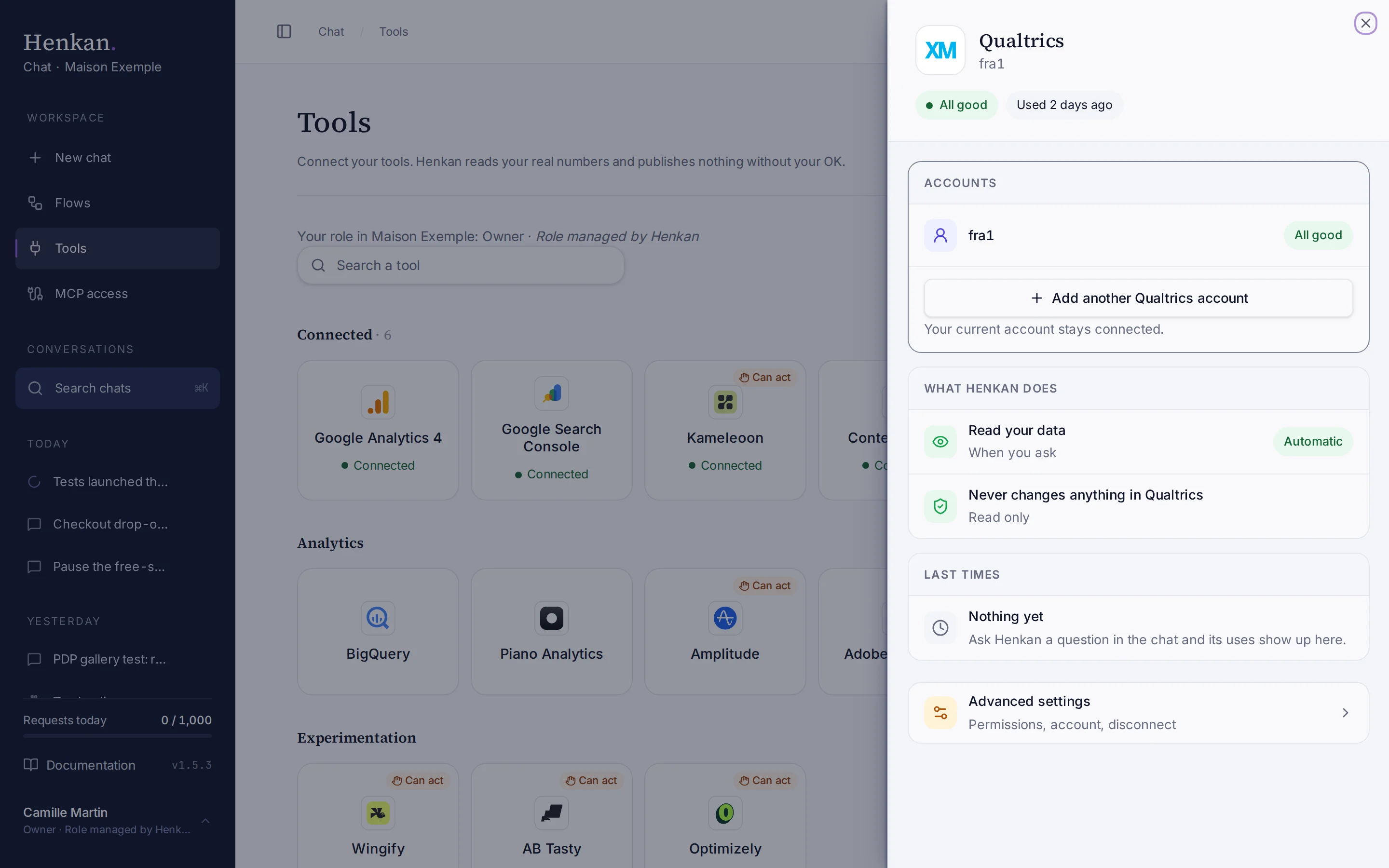
1
Status. Whether the connection works, and when Henkan last used it.
2
What Henkan does. Qualtrics is read only.
3
Advanced settings. Permissions, renaming and disconnecting.
- Open Tools In the sidebar, select Tools, then select Qualtrics and Connect.
- Enter a token or an OAuth client Fill in API token, or Client ID and Client secret. Add the Datacenter ID only if detection fails.
- Select Test and save The credentials are checked, then stored encrypted.
What you can ask#
- "NPS of the post-purchase survey last quarter vs the quarter before. Is the change significant?"
- "CSAT by device for the delivery survey."
- "What drives detractors? Show the top open-text themes."
- "Which questions drive NPS the most?"
- "Audit our surveys: anything expired, too long or missing embedded data?"
What Chat can and can't do#
| Tool | What it does | Read or write | Asks first? |
|---|---|---|---|
| Find survey | Finds surveys by name, question text or embedded-data field. | Read | No |
| List surveys, get survey | Survey list, and a survey's questions, blocks and embedded data. | Read | No |
| Response summary | Counts, completion rate and NPS, CSAT or CES with distribution and 95% margin, vs a previous period, optionally by segment. | Read | No |
| KPI trend | NPS, CSAT or CES by day, week or month, with change points (30 answers or more per bucket). | Read | No |
| Key drivers | Correlates the KPI with other questions and ranks drivers. Correlation, not causation. | Read | No |
| Crosstab | A KPI or question split by a segment, with a chi-square test. | Read | No |
| Open-text themes | AI-generated themes with counts, sentiment, verbatim quotes and their link to detractors. | Read | No |
| Page feedback | KPI and themes per page path, for web-intercept surveys with a page or URL field. | Read | No |
| Distributions | Sent, opened, started, finished and bounced counts, and real response rates. | Read | No |
| Export responses | A paged table of responses for a date range. | Read | No |
| Audit | A checklist of the survey programme with one-line fixes. | Read | No |
Limits and good to know#
- Small samples. Henkan never calls a change real when fewer than 30 people answered. Key drivers flag samples under 50.
- Themes are labelled AI-generated. Verbatims are quoted exactly.
- Large surveys. Henkan caps exports at 50,000 responses. Henkan mentions it when the cap applies.
- Costs and who pays. Your Henkan plan covers the AI requests: each question counts towards your organisation's requests (see Usage and limits). Any API costs on Qualtrics's side fall under your contract with Qualtrics.
Troubleshooting#
| Error or symptom | Fix |
|---|---|
| Add either an API token, or an OAuth client id and client secret | Fill in one of the two options. |
| Could not detect your Qualtrics datacenter automatically | Enter it: Account settings › Qualtrics IDs › Datacenter ID. |
| Invalid datacenter id | Use the exact value, for example fra1 or iad1. |
| Qualtrics export is still running | Ask again in a minute, or narrow the date range. |
| Qualtrics response export failed | Try a shorter date range. |
Sources#
- Getting Started with the Qualtrics API (Qualtrics Support)
- Finding Qualtrics IDs (Qualtrics Support)